
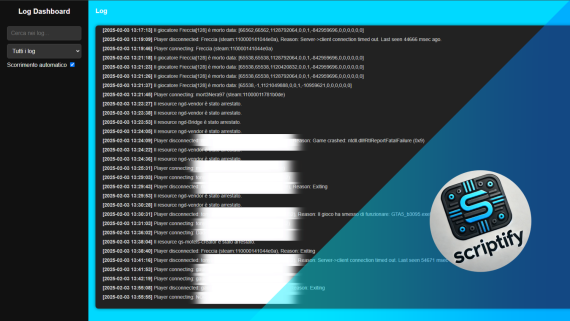
vnc_logsystem – Advanced FiveM Logging System
Take full control of your FiveM server with vnc_logsystem, a powerful and intuitive logging system designed to track and manage server activities efficiently.
Main Features:
✅ Web Interface: Access all server logs through a user-friendly web panel, providing a clear and organized overview of in-game events.
✅ Custom Categories: Organize logs into specific categories such as player connections, disconnections, kills, unauthorized vehicle or weapon access, and chat logs for better management.
✅ Secure Login System: Protect access to the log panel with a robust authentication system, ensuring only authorized personnel can view and manage logs.
✅ ESX Compatibility: Seamlessly integrates with ESX and other frameworks to track key events such as financial transactions, vehicle usage, and player interactions.
✅ Optimized Performance: Built for efficiency, ensuring minimal server resource usage while maintaining real-time tracking capabilities.
Documentation
Add Item to ox_inventory
VNC
How to configure logsystem
Follow these steps to add a custom category
1. Open config.lua File
Navigate to the following file in your server resources:
scr_logsystem/config.lua2. Add new category
Example
SCR.Category = { chat = {}, actions = {}, errors = {}, connections = {}, me = {}, staff = {}, death = {} yourcustomcategory = {} } 4. Save and Open users.js
Now Create yours users
const Users = { "admin": "admin", "user": "yourpassword", }; How to send log
Server side
--category string --message string exports["scr_logsystem"]:addLog(category,message) Client side
--category string --message string TriggerServerEvent("scr_logsystem:server:addLog",category,message)